Paper Toss Office - Jerk Boss
- 4.3
- Rating
- 100.00K
- Installs
- Free
- Price

 Analysis by App-foxy
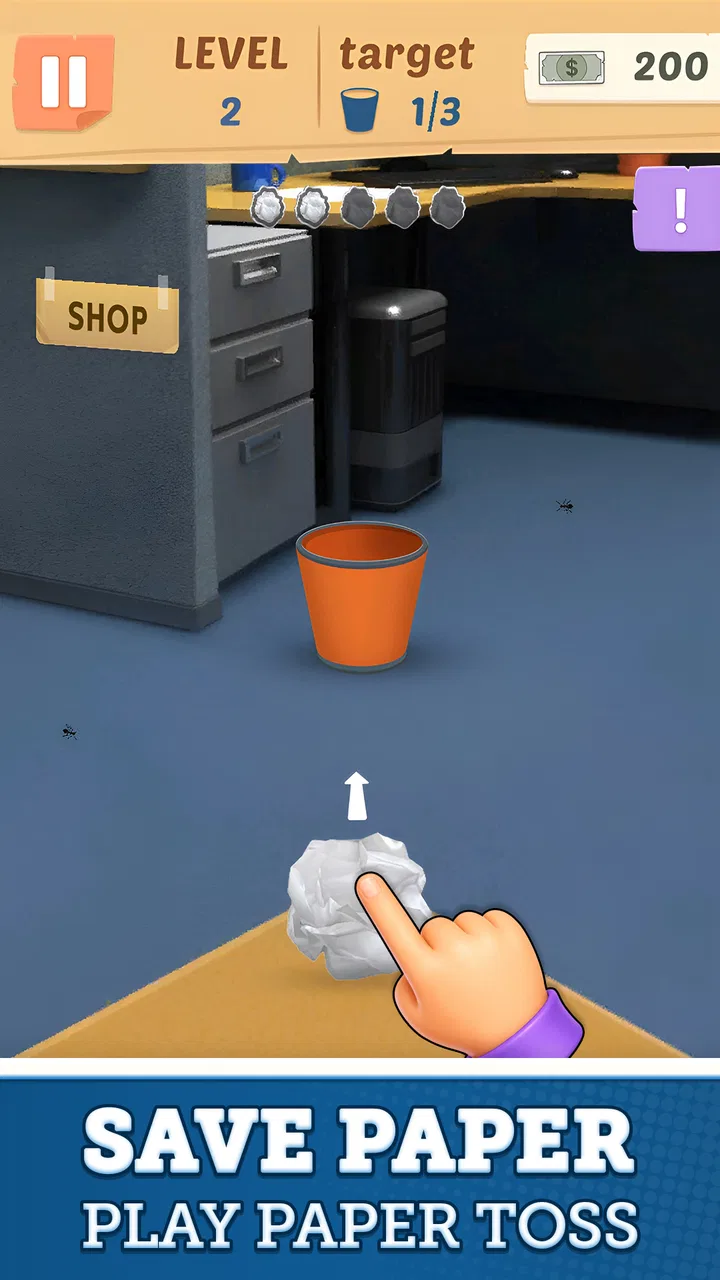
Paper Toss Office - Jerk Boss is the kind of arcade game I open when I want something immediate rather than a long campaign, complicated tutorial, or serious time commitment. The idea is familiar: line up a paper ball and try to land it in an office trash can. What makes the experience appealing is the small amount of concentration hidden inside that simple action. A throw takes seconds, but judging the angle, allowing for the moving air, and deciding whether to repeat a safe approach or experiment gives the game more texture than its premise suggests.
I found it easiest to enjoy as a short-break game. It works when I have only a few spare minutes, yet it can also pull me into repeated attempts because a nearly successful throw feels close enough to improve. PlanetFlip presents it as a free arcade game, with optional purchases ranging from $0.99 to $4.99 per item. It is aimed at a Teen audience, so it is worth keeping that rating in mind if you are choosing a game for a younger player.
Learning the basic office throw
The first useful habit is to treat every attempt as a small experiment instead of flicking randomly. I begin by looking at the distance between the starting point and the bin, then I check whether the air is pushing the paper sideways. A direct-looking path is often not the correct one. The paper needs enough lift to reach the target, while the sideways correction has to compensate for the changing conditions on screen.
You May Also Like

 Blood Strike: 2.5 Anniversary
Blood Strike’s Loadouts Turn Every Drop Into a Tactical Gamble
A close look at Blood Strike’s custom loadouts: how fast access to signature weapons reshapes its battle royale rhythm, rewards preparation, and narrows the gap between fights.

 Pandora - Music & Podcasts
Pandora’s Music Is Easy to Start, but Harder to Recover
Pandora’s strength is its low-effort path from a seed to a station. Its weak spot is how much confidence it asks you to place in connection, setup, and quiet recovery.

 8 Ball Pool
8 Ball Pool Is Built on Rivalries, Rematches, and Routine
A close look at the rivalries, rematches, shared routines, and unanswered safety questions that turn a quick pool match into a persistent mobile community.

 Samsung Music
Samsung Music’s Quiet Strength Is Playing What You Already Own
Its reach comes less from spectacle than from dependable access to a personal library. That simplicity is both the app’s strongest retention engine and its ceiling.

 AccuWeather: Weather Radar
AccuWeather Review: A Quick, Clear Forecast for Everyday Decisions
For everyday plans, the best forecast is the one you can understand quickly. AccuWeather makes rain timing, radar, and local conditions easy to act on, with a few trade-offs.

 Hill Climb Racing
Why Hill Climb Racing Still Turns Crashes Into One More Run
A tiny car, a bumpy hill and one more upgrade: Hill Climb Racing keeps resurfacing because its simple chaos makes every near-miss feel personal.
More From Our News Desk
View All News


That makes the baseline workflow pleasantly simple. I pause for a moment, choose a direction, adjust the strength, and release with a controlled gesture. After the result, I remember the correction rather than immediately changing everything. If the paper lands short, I increase the force while keeping the general direction. If it passes to one side, I alter the angle before making a larger change to power. This approach turns each miss into useful information.
The most reliable improvement comes from changing one variable at a time. Players who alter angle, strength, and timing after every miss may occasionally score, but they will not know why the throw worked. I prefer to build a rough mental reference for each situation. Once I have a throw that comes close, I repeat it with a small adjustment instead of starting from zero.
The game is especially suitable for a quick office-break scenario. I can play a few rounds while waiting for a meeting or during a short pause, stop without losing the whole evening, and return later without needing to remember a complicated story. That convenience is a genuine strength. It also explains the main weakness: if you want a deep progression system, a large collection of objectives, or a substantial narrative, this is not trying to provide those things.
Although the action is straightforward, the physical feel matters. A rushed swipe makes the result feel careless, while a measured gesture gives me a better sense of control. I do not think of the game as a reflex test alone. It is closer to a compact aiming challenge, where observation and consistency matter more than frantic speed.
Settings and preparation that make attempts clearer
Before settling into repeated throws, I check the available game settings rather than assuming the default presentation is ideal for me. In a simple title, settings may not transform the rules, but they can affect how comfortable it is to play. I look for options related to sound, notifications, display behavior, and controls, then keep only what helps me stay focused. I do not want background effects competing with the visual information needed for aiming.
My practical advice is to play the first few attempts with the default arrangement, then change only one preference if something feels distracting. This keeps the learning process clean. If I change several options at once, it becomes harder to tell whether a better result came from practice or from the altered presentation. For a game built around repeatable throws, consistency is more useful than constant tweaking.
It is also worth deciding where and how you will play. On a crowded commute, a short session may be interrupted before you establish a rhythm. At a desk or in a quiet room, I can pay attention to the paper’s path and make more deliberate corrections. The game is portable in spirit, but the best results come when the screen is easy to see and the gesture is not being disturbed.
Because this is a free download with optional purchases, I would start without spending anything. The core appeal is testing your aim, so I would first decide whether the basic loop holds my attention. A purchase makes more sense only if it supports the way you already enjoy playing; it should not be treated as a solution for inconsistent throws. For me, practice is more valuable than buying something before I understand the game’s rhythm.
The current version is 3.4 and the game can run on Android 7.1 or later. That broad compatibility makes it a practical choice for people using an older supported phone, although the exact comfort of play will still depend on the device’s screen and touch response. A larger, steadier display is generally easier for careful aiming than a cramped one.
Repeatable patterns for faster improvement
Experienced play is less about throwing quickly and more about reducing wasted attempts. I use a short routine: observe the target, identify the main correction, make the throw, and classify the miss. I describe each result in plain terms such as “short,” “long,” “left,” or “right.” That simple vocabulary prevents me from reacting emotionally to a miss and keeps the next attempt purposeful.
One useful pattern is to establish a safe baseline before chasing a difficult shot. If the paper reaches the bin after a modest adjustment, I repeat that approach once to check that it was not luck. Only then do I try to improve the line. This is slower than random experimentation at first, but it usually produces a more dependable routine over a longer session.
Another helpful habit is to avoid overcorrecting. A paper ball that misses slightly to one side does not necessarily require a dramatic change. Small adjustments preserve the useful part of the previous throw. I have found this particularly important when the air effect is subtle: a large correction can turn a near miss into a much wider one.
Timing also deserves attention. I do not rush the gesture simply because the game looks casual. I wait until I have read the scene, then make one clean movement. A deliberate release is easier to repeat than a series of hurried swipes. If my hand position feels awkward, I reset before attempting another throw instead of blaming the game for a result caused by poor control.
For longer sessions, I divide play into small goals. I might spend several attempts learning the current distance, then focus on keeping the paper centered, and finally try to improve the number of successful throws. This gives the session direction without pretending that a simple arcade game needs a complex training program. It also helps me stop at a natural point rather than continuing after concentration has faded.
My favorite practical shortcut is mental calibration: remember the shape of a successful gesture, not just the final position of the paper. The speed of the swipe, its direction, and the amount of lift all matter together. Recreating the movement is more useful than staring only at where the trash can sits, because the same visual target can feel different when the surrounding conditions change.
Where the game becomes demanding
The game’s simplicity is both its identity and its boundary. It gives me a focused action, but it does not offer the variety I would expect from a larger arcade package. After the novelty of landing paper in the bin wears off, enjoyment depends on whether I like refining small improvements. Players who need frequent new mechanics may find the loop repetitive.
There is also a limit to how much strategy can compensate for touch control. A good plan still depends on making a consistent gesture. If the phone is being held at an uncomfortable angle, or if I am playing while distracted, a miss may tell me more about the situation than about my technique. I would not choose this as a game for multitasking. It rewards attention, even though individual rounds are short.
The Teen content rating is another reason to consider the audience before installing it. I would not automatically place it on a child’s device simply because the central action looks harmless. The rating is part of the product information and should guide that decision. For an adult or older teen looking for a quick arcade distraction, it is less of a concern, but families should still make the choice deliberately.
Optional purchases can also change how different players feel about the experience. I appreciate that the game is available free of charge, but I would keep an eye on the purchase prompts and decide in advance whether I want to spend anything. The listed items cost between $0.99 and $4.99 each, so the sensible approach is to treat them as optional extras rather than part of the entry requirement.
Compared with a physics-heavy puzzle game, this title is easier to understand and faster to start, but it offers less room for solving elaborate problems. Compared with an endless runner, it is calmer and more precise, with less emphasis on constant movement. A competitive multiplayer arcade game would be better for someone who wants opponents and social pressure. Paper Toss Office - Jerk Boss suits me more when I want a private, low-commitment challenge built around improving my own consistency.
The audience size suggests that the concept has found a substantial group of players: it has passed 100 thousand installs and holds a 4.3 average from about 1.4 thousand ratings. I see those figures as signs of broad accessibility, not proof that everyone will enjoy it. Its appeal is specific. It works best for people who like compact skill loops and do not need a large amount of content around them.
Who should install it, and who should skip it
I would recommend it to someone who enjoys casual aiming games, wants something free to try, and likes the satisfaction of turning a near miss into a successful repeatable throw. It is also a good fit for short breaks because the basic action is understandable almost immediately. The game does not demand that I remember a complicated control scheme or commit to a long session.
I would suggest skipping it if you are looking for a story, character development, extensive customization, or a deep competitive ladder. It is not the right replacement for a full puzzle game or a more substantial arcade collection. Even players who initially enjoy it may eventually want another game beside it, because the central challenge remains intentionally narrow.
It is also not ideal for someone who dislikes repetition. The satisfaction comes from refinement: noticing a small error, adjusting the next throw, and gradually becoming more consistent. If that process sounds boring rather than rewarding, the game will probably feel thin. On the other hand, if you enjoy practicing a single physical skill in small doses, its limited scope can feel focused rather than lacking.
My verdict after settling into the routine
PlanetFlip has made a very small idea work as a recognizable arcade pastime. I like that I can understand the goal quickly but still find room to improve through better observation, cleaner gestures, and disciplined corrections. The best way to play is not to spam attempts; it is to create a repeatable baseline, adjust carefully, and use short sessions to preserve concentration.
My honest reservation is that the game cannot hide its narrow loop forever. Once I have learned its basic rhythm, the decision to continue depends on whether I enjoy polishing accuracy for its own sake. The free entry helps, and the optional purchase range is clear enough to approach cautiously, but neither changes the fact that this is a compact arcade experience rather than a broad game.
With around 50 written reviews and more than 100 thousand installs, it has attracted attention without needing a complicated premise. I understand why: it is at its best when you want a quick, focused challenge that respects your time. I would install Paper Toss Office - Jerk Boss for short breaks, casual practice, and those moments when landing one clean throw feels more satisfying than starting a much larger game. Just keep expectations aligned with its modest scope, and it becomes an easy recommendation for the right kind of player.
FAQs for Paper Toss Office - Jerk Boss
01What is Paper Toss Office - Jerk Boss?
Paper Toss Office - Jerk Boss is a casual physics-based game set in a humorous office environment. The main objective is to throw crumpled pieces of paper into a trash can while dealing with obstacles such as furniture, office equipment, and changing air currents. Its simple controls make it easy to start, while accurate aiming and timing provide a small but satisfying challenge.
02How do you play Paper Toss Office - Jerk Boss?
Gameplay is based on swiping across the screen to choose the direction and strength of each paper throw. You need to study the distance to the bin, account for the moving air, and release your swipe at the right moment. Successful shots increase your score, while missed throws require you to adjust your aim and try again.
03Is Paper Toss Office - Jerk Boss free to download?
The game is generally offered as a free download, although availability and pricing can vary depending on whether you use Android or iOS and which region your store account is registered in. Before installing, check the official store listing for current information about advertisements, optional purchases, supported devices, and any differences between the free version and other editions.
04Does Paper Toss Office - Jerk Boss require an internet connection?
The core throwing gameplay can usually be enjoyed without a constant internet connection, which makes it suitable for short sessions while traveling or when mobile data is unavailable. However, features such as advertisements, analytics, store content, or other online services may require connectivity. It is best to launch the game once while online so it can complete any necessary setup.
05Is Paper Toss Office - Jerk Boss suitable for children?
Paper Toss Office - Jerk Boss is easy to understand and does not rely on complicated controls, making it accessible to many younger players. Nevertheless, parents should review the age rating and store description because advertising, optional in-app purchases, or humorous office-themed content may be included. Device purchase restrictions can help prevent accidental transactions during play.
Pros
- Simple one-touch controls are easy to learn.
- Short rounds make it ideal for quick breaks.
- Humorous office setting gives the game personality.
- Works well for casual
- stress-free play sessions.
- Lightweight gameplay is suitable for older devices.
Cons
- Gameplay can become repetitive after several rounds.
- Limited depth may not satisfy competitive players.
- Accuracy is affected by changing fan and wind patterns.
- Ads may interrupt play in the free version.
- The office theme may feel dated to some players.

Paper Toss Office - Jerk Boss
Gallery